
MORI FEATURE GUIDE / SURVEY

Collect the answers you need,
and get ready for the next decision.

From purchase conditions to support needs, ask the questions your next step depends on.
Check participation status and saved answers,
then prepare gift notices and reminders for the unfinished respondents who matter.

Create a surveySee how it fits your work

Available after signing in. A full analysis report requires credits.

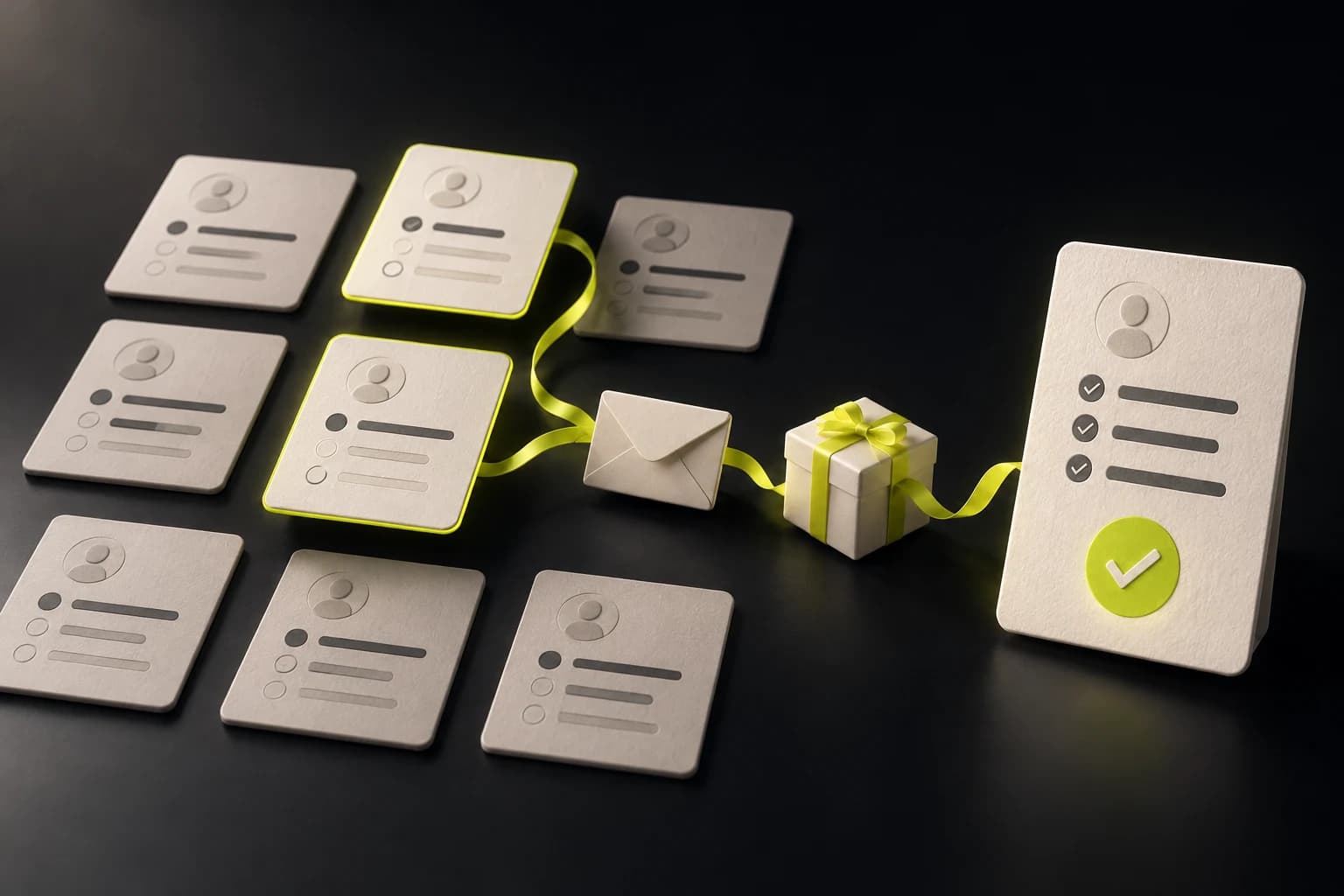
Concept illustration of survey follow-up: selected participants move through a reminder envelope and a gift to a completed survey
Follow-up for the participants who need itFeature illustration
How to prepare your next step with the answers you need
MORI feature guide · 5 min read
01

PUT THE ANSWERS TO WORK

What decision
do you need answers for?

What to propose in the next meeting, which product to improve, which support programme to prepare. Decide what you need to decide first, then write the questions that will support it.

What sets MORI Survey apart

Before contacting your whole list again,
see who actually needs a follow-up.

See participation signals from personal links alongside saved, unfinished answers. After checking the survey’s purpose and your contact history, you choose which buyers to follow up with.

Avoid contacting people who have already finished, and focus on the gift notices and tailored reminders that help others complete. The answers you collect feed into follow-up proposals and the analysis report.

01 / Overseas sales

What to propose
in the next meeting.

Find out which products buyers you met at a trade show are interested in, the certifications they need, purchase quantities and timing. Use their answers and files to prepare a follow-up proposal that fits their conditions.

What the answers help you prepareMeetings and proposals matched to product, certification and timing
02 / Product & service planning

What to improve
in your products and services.

Ask about the features customers prioritise, how they actually use the product and what frustrates them. Read per-question results together with the original answers to review what to improve first.

What the answers help you prepareImprovement priorities based on customer needs
03 / Industry needs survey

What companies need
in order to be supported.

Find out about companies’ current situation, their R&D and industry–academia collaboration needs, and their operational difficulties. Select the valid responses to analyse and compile a full analysis report and PDF to prepare support plans and reporting materials.

What the answers help you prepareSupport plans and reporting evidence matched to company needs

These are illustrative work examples of how the feature can be used. They do not represent actual customer responses or results.

02

FROM PARTICIPATION TO COMPLETION

The follow-up needed to finish,
for the people who need it.

Use participation status and saved answers to decide who this survey needs and what to tell them. Focusing your reminders can help reduce the time, cost and staff effort of repeatedly contacting your whole list.

  1. 01

    Check participation

    See participation signals from personal links alongside saved, unfinished answers.

  2. 02

    Review who fits the purpose

    Look at the survey’s purpose and your contact history, then decide yourself which buyers to follow up with.

  3. 03

    Gift notices · Tailored reminders

    Write individual messages from the contact page, including any gift notice you have prepared and the explanation they need.

  4. 04

    Check completion again

    After following up, check whether new responses were completed, and use the answers in your next proposal.

Example message written by your team

Match the answers they left,
and make the next step specific.

“Thank you for sharing your product certification requirements. If you have not submitted yet, please complete your response at [survey link]. Who is eligible for the participation gift and how to receive it are explained at [information link].”

Gifts are mentioned only when your team has prepared them separately. The wording and links are examples showing how to use the feature.

Once completed, valid responses come in, prepare follow-up proposals and meetings with per-question results and the AI analysis report.

03

MORI SURVEY IN PRACTICE

Sungkyunkwan University Anchor Project Group:
separating participation from the scope of analysis.

A real survey to understand the R&D and industry–academia collaboration needs of future-growth-industry companies in Seoul and Gyeonggi. Separating responses that were started, completed and used for analysis lets you see participation and what to review next on their own terms.

Real survey and analysis reportAs of October 7, 202623 questions · 17-page reportSee results and interpretation by question
Started93

Response records started

Completed71

Completion rate 76.3% · 71 / 93

22 not completed
Basis of analysis52

Only valid responses counted

14 excluded in screening · 5 duplicates excluded

Counts of response records in the real report. When the same buyer answered again, only their latest valid response is counted in the analysis. Excluding a response from analysis is separate from choosing who to send to.

NEXT ACTION / SUGGESTED FOLLOW-UP

With 22 unfinished records in view,
start by reviewing who to contact.

Not every unfinished record needs another message. Check the saved answers and contact details, then prepare the next message for the buyers who fit this survey.

  1. Check the answers and contacts in unfinished records
  2. Choose the buyers who fit the purpose yourself
  3. Write gift notice and tailored reminder messages from the contact page
  4. Check whether new responses were completed after following up

This flow is an operational suggestion based on this case. The actual report did not measure the effect of gifts or reminders.

Q3. Size of responding companiesSingle choice · 52 responses
  • Fewer than 10 employees53.8%28 responses
  • 10–49 employees15.4%8 responses
  • 50–99 employees5.8%3 responses
  • 100 or more employees25.0%13 responses
QUESTION 11 / RESULTS

Which regional industry–academia
programme is needed most right now?

Multiple choice · Up to 3 · 52 responses

Joint R&D and technology development53.8%28 responses
Overseas market entry and sales channels44.2%23 responses
Technical advice and consulting34.6%18 responses

The top three items are shown. Percentages are based on the 52 valid responses to this question; because it is multiple choice, the total can exceed 100%.

READ THE ANSWERS / REPORT

Technology development and market expansion:
looking at both needs together.

Joint R&D and technology development was chosen by 53.8%, and overseas market entry and sales channels by 44.2%. Among the responding companies, demand for both technology development support and market expansion can be seen together.

A summary of the Q11 interpretation in the actual report.

Using completed answers in follow-up proposals
  1. Review whether technology development and overseas expansion support can be offered together.
  2. Check individual responses to prepare the technology areas and consultation topics needed.
The scope to keep in mind

The 52 valid responses come from companies that chose to take part. They do not represent all companies in Seoul and Gyeonggi, and they do not predict whether projects will go ahead or revenue. AI interprets the totals; your team reviews the original answers and the analysis before using them.

04

FROM QUESTION TO REPORT

Five steps: create, send and read the answers.

Click each step to follow the flow from writing to analysis. You can keep going in MORI without switching between a separate survey tool and your buyer list.

STEP 01

Turn the conditions your next proposal depends on into questions.

Write a title and introduction, then add questions. Combine seven question types, including choice, open text, 5-point scale, grouped short answers and file upload. You can also set whether each question is required and its order.

Tip

For short answers like quantity and timing, ask them together as grouped short answers.

MORI / Write questionsMORI
New survey

Create your survey

Draft
Survey title
Requirements for industrial sensors
01Which product are you interested in?Single choice
  • Temperature and humidity sensors
  • Pressure sensors
  • Still evaluating
Required
02Quantity and timing under considerationGrouped short answers
+ Add question
An illustrative screen showing how the actual feature is laid out
1 / 5
05

A FEW QUESTIONS, A BETTER CONVERSATION

Try the survey your buyer sees.

Opening the link lets the buyer answer one question at a time without signing in. In a real survey, single-choice and 5-point scale questions move on after a selection, while multiple-choice and text questions use a button.

TRY THE EXPERIENCE

Open the link you received,
and answer one question at a time.

Click through the response flow your buyer sees. It is a short survey asking about the product of interest, timing and key requirements.

Your answers
Product
Not selected yet
Timing
Not selected yet
Key requirements
Not selected yet

This is a demo to illustrate the feature.
Your selections are not sent or saved.

MORI SurveyExample question
1 / 3

Requirements for industrial sensors

Which product are you interested in?

Choose the closest answer.

Choosing an answer moves you to the next question.
Demo for illustration · No sign-in or real submission needed.
One question per screen. The progress bar shows what is left.

GOOD TO KNOW

Before you start.

Can I follow up only with people who have not finished?
After checking participation signals and saved, unfinished answers, you choose the contacts of buyers who fit the survey’s purpose yourself. Write an individual message from the contact page with the explanation and survey details they need. The checkboxes in the survey results table select responses to exclude from analysis; they do not select who to send to.
Are gift notices and reminder messages sent automatically?
Your team reviews who to contact and writes the messages themselves. If there is a participation gift, you can include a separately prepared information link and eligibility conditions in the message. The feature does not hand out gifts or automatically resend to unfinished respondents.
How do I check participation status?
Look at participation signals from each recipient’s survey link together with saved, unfinished answers and completed responses. Open signals may not be recorded in every environment, so do not decide whether someone took part from signals alone. Responses through a shared personal link are linked to the original recipient.
Do buyers need to sign in to MORI?
They can answer from the survey link they received without signing in. Links and QR codes are tied to each recipient. Attach the survey to a message and send it to the buyer. This works differently from an anonymous survey link that anyone can share.
What kinds of questions can I create?
Seven types are supported: single choice, multiple choice, short answer, long answer, 5-point scale, grouped short answers and file upload. Each survey can have up to 50 questions. Start with the questions you need, so respondents can answer comfortably.
Can I change the questions after sending the survey?
Questions in a published survey cannot be edited. Check the questions and options before publishing. You can close the survey to new responses or reopen it.
What are the conditions for creating an analysis report?
Once completed, valid responses come in, you can create a free preview that analyses one question of the real responses, once per survey. A full report requires the credits shown on screen. Once you have bought the full analysis for a survey, its report can be regenerated without additional credits.
Can I download responses and reports?
A finished full analysis report can be saved as a PDF. If the responses or screening criteria change, regenerate the report before saving the PDF. The raw responses CSV is available after paying for the survey’s full analysis report. The CSV also includes unfinished, excluded and earlier responses, and can be downloaded up to 5,000 records or 32 MiB.
Where can I see files submitted by buyers?
You can view and download them in the response table of the survey results and in the survey responses on the buyer’s page. File types, number of files, file size and each company’s storage limit for file uploads are shown in the product itself.
YOUR NEXT CONVERSATION

From the moment you send the survey,
be ready for the next follow-up.

Check participation status and follow up directly with the unfinished respondents who fit your purpose. Completed answers, together with the AI analysis, become the basis for your next proposal.

Create a survey